


Page 107 - TransAT_Tutorial_Manual
P. 107
TransAT Tutorial Manual                           3.2. Natural Convection in a Closed Cavity


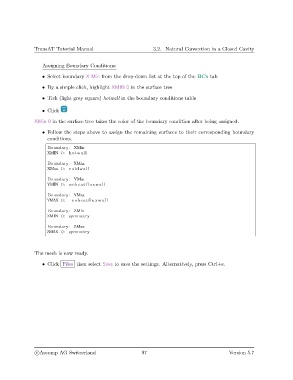
                   Assigning Boundary Conditions:
                   • Select boundary X Min from the drop-down list at the top of the BCs tab

                   • By a simple click, highlight XMIN 0 in the surface tree

                   • Tick (light grey square) hotwall in the boundary conditions table

                   • Click

               XMin 0 in the surface tree takes the color of the boundary condition after being assigned.

                   • Follow the steps above to assign the remaining surfaces to their corresponding boundary
                     conditions.
                     Boundary : XMin
                     XMIN 0: hotwall

                     Boundary : XMax
                     XMax 0: coldwall
                     Boundary : YMin
                     YMIN 0: noheatfluxwall
                     Boundary : YMax
                     YMAX 0:   noheatfluxwall
                     Boundary : ZMin
                     ZMIN 0: symmetry

                     Boundary : ZMax
                     ZMAX 0: symmetry


               The mesh is now ready.
                   • Click Files then select Save to save the settings. Alternatively, press Ctrl+s.


                c
Ascomp AG Switzerland                    97                                   Version 5.7

