


Page 404 - TransAT_Tutorial_Manual
P. 404
TransAT Tutorial Manual                               10.1. Flow past a backward facing step


               Phase Properties
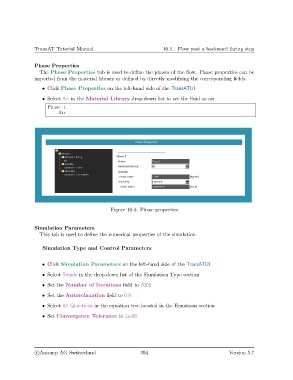
                  The Phase Properties tab is used to define the phases of the flow. Phase properties can be
               imported from the material library or defined by directly modifying the corresponding fields.
                   • Click Phase Properties on the left-hand side of the TransATUI

                   • Select Air in the Material Library drop-down list to set the fluid as air

                     Phase 1
                         Air


                                               Figure 10.4: Phase properties


               Simulation Parameters
                  This tab is used to define the numerical properties of the simulation.

                   Simulation Type and Control Parameters


                   • Click Simulation Parameters on the left-hand side of the TransATUI

                   • Select Steady in the drop-down list of the Simulation Type section

                   • Set the Number of Iterations field to 2000
                   • Set the Autorelaxation field to 0.9

                   • Select All Quantities in the equation tree located in the Equations section

                   • Set Convergence Tolerance to 1e-06


                c
Ascomp AG Switzerland                    394                                  Version 5.7

