


Page 92 - TransAT_Tutorial_Manual
P. 92
TransAT Tutorial Manual                                      2.3. Flow in an obstructed pipe


                   • In the box below, enter U ∗ iHat + V ∗ jHat. See Figure 2.12.
                   • Click       .

                   • Choose variable Velocity from the drop-down list to color the slice with the velocity mag-
                     nitude.

                   • Make sure that the Slice is made invisible and the calculator is made visible by clicking
                     on the respective   icon.

                   • In the Pipeline Browser, highlight the Calculator by clicking it once and then click  in
                     the menu bar (alternatively, you can select Filters − > Common − > Glyph).

                   • In the Properties panel, set:
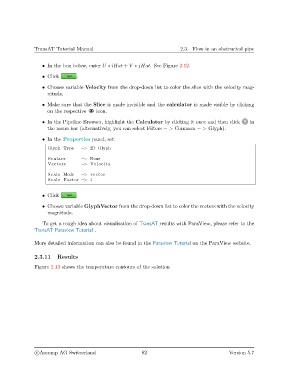
                     Glyph Type    −> 2D Glyph

                     Scalars       −> None
                     Vectors       −> Velocity

                     Scale Mode    −> vector
                     Scale Factor −> 1


                   • Click

                   • Choose variable GlyphVector from the drop-down list to color the vectors with the velocity
                     magnitude.

                   To get a rough idea about visualisation of TransAT results with ParaView, please refer to the
               TransAT Paraview Tutorial .


               More detailed information can also be found in the Paraview Tutorial on the ParaView website.

               2.3.11    Results

               Figure 2.13 shows the temperature contours of the solution


                c
Ascomp AG Switzerland                    82                                   Version 5.7

