


Page 283 - TransAT_Tutorial_Manual
P. 283
TransAT Tutorial Manual                                                   7.1. Oilseparation


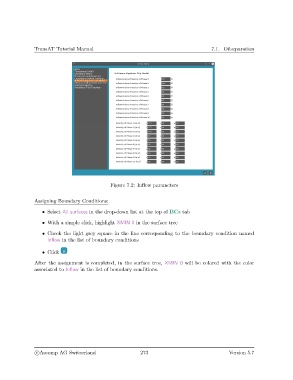
                                               Figure 7.2: Inflow parameters


               Assigning Boundary Conditions:

                   • Select All surfaces in the drop-down list at the top of BCs tab

                   • With a simple click, highlight XMIN 0 in the surface tree
                   • Check the light grey square in the line corresponding to the boundary condition named
                     Inflow in the list of boundary conditions

                   • Click

               After the assignment is completed, in the surface tree, XMIN 0 will be colored with the color
               associated to Inflow in the list of boundary conditions.


                c
Ascomp AG Switzerland                    273                                  Version 5.7

