


Page 30 - TransAT_Tutorial_Manual
P. 30
TransAT Tutorial Manual                                           1.2. Backward Facing Step


               Since undefined boundaries are by default set to symmetry, boundary conditions for the ZMin
               and ZMax boundaries do not have to be defined.


               The mesh is now ready.

                   • Click Files in the top left corner of the TransATUI then select Save to save the settings.
                     Alternatively press Ctrl+s.


               1.2.6    Input Tab

               To set up the simulation parameters,

                   • Click Input at the top of the TransATUI


               Physical Models
                  In this tab, the equations that will be solved for during the simulation are chosen.

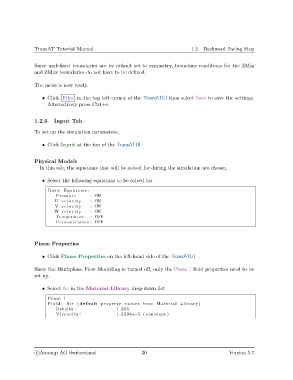
                   • Select the following equations to be solved for

                     Basic Equations :
                        Pressure       : ON
                        U v e l o c i t y  : ON
                        V v e l o c i t y  : ON
                        W v e l o c i t y  : ON
                        Temperature    : OFF
                        Concentration : OFF


               Phase Properties

                   • Click Phase Properties on the left-hand side of the TransATUI


               Since the Multiphase Flow Modelling is turned off, only the Phase 1 fluid properties need to be
               set up.


                   • Select Air in the Material Library drop-down list
                     Phase 1
                     Fluid : Air ( default property values from Material Library )
                        Density :                 1.205
                        Viscosity :               1.8208 e−5 ( constant )


                c
Ascomp AG Switzerland                    20                                   Version 5.7

