


Page 393 - TransAT_Tutorial_Manual
P. 393
TransAT Tutorial Manual                         9.2. Forced Convection in an Isothermal Pipe


                   • Choose variable T in the variable drop-down list. The temperature distribution along the
                     domain should be shown.

                   • Clicking the rainbow button on the left-hand side shows the legend. Clicking the double-
                     arrow button on its right rescales the color range to the data range.

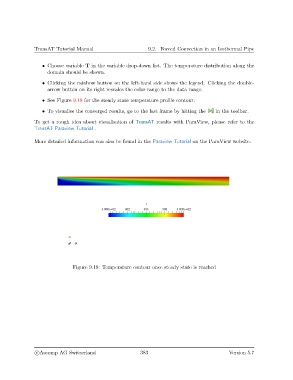
                   • See Figure 9.18 for the steady state temperature profile contour.
                   • To visualise the converged results, go to the last frame by hitting the  in the toolbar.

               To get a rough idea about visualisation of TransAT results with ParaView, please refer to the
               TransAT Paraview Tutorial .

               More detailed information can also be found in the Paraview Tutorial on the ParaView website.


                               Figure 9.18: Temperature contour once steady state is reached


                c
Ascomp AG Switzerland                    383                                  Version 5.7

