


Page 51 - TransAT_Tutorial_Manual
P. 51
TransAT Tutorial Manual            2.1. Block Mesh Refinement: Flow over Cylinder (Re=150)


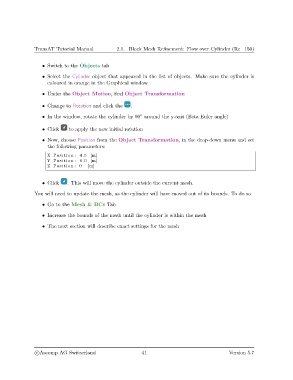
                   • Switch to the Objects tab
                   • Select the Cylinder object that appeared in the list of objects. Make sure the cylinder is
                     coloured in orange in the Graphical window

                   • Under the Object Motion, find Object Transformation

                   • Change to Rotation and click the   .

                                                            ◦
                   • In the window, rotate the cylinder by 90 around the y-axis (Beta Euler angle)
                   • Click    to apply the new initial rotation

                   • Now, choose Position from the Object Transformation, in the drop-down menu and set
                     the following parameters:
                     X Position : 4.5 [m]
                     Y Position : 6.0 [m]
                     Z Position : 0   [m]


                   • Click   . This will move the cylinder outside the current mesh.

               You will need to update the mesh, as the cylinder will have moved out of its bounds. To do so

                   • Go to the Mesh & BCs Tab

                   • Increase the bounds of the mesh until the cylinder is within the mesh
                   • The next section will describe exact settings for the mesh


                c
Ascomp AG Switzerland                    41                                   Version 5.7

