


Page 196 - TransAT_Tutorial_Manual
P. 196
TransAT Tutorial Manual                                                        4.5. Spillway


                   • Go to the RESULT folder and choose <projectname>...vtm for 3D visualization.
                   • Click on       .

                   • To visualize only the fluid domain, Select Filters − > Common − > Clip. Use:
                     Clip Type: Scalar
                     Scalars: EmbI
                     Value: 0
                     Check Inside Out. Click OK Then use Clip Type: Scalar
                     Scalars: PhaseAlpha2
                     Value: 0.05


                   • This shows the volume fraction distribution of water (larger than 5%) in the simulated
                     domain.

                   • Play the animation by hitting    in the toolbar.

               To get a rough idea about visualisation of TransAT results with ParaView, please refer to the
               TransAT Paraview Tutorial .

               More detailed information can also be found in the Paraview Tutorial on the ParaView website.

               4.5.11    Results


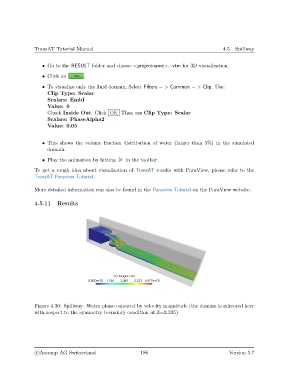
               Figure 4.30: Spillway: Water phase coloured by velocity magnitude (the domain is mirrored here
               with respect to the symmetry boundary condition at Z=2.335)


                c
Ascomp AG Switzerland                    186                                  Version 5.7

