


Page 436 - TransAT_Tutorial_Manual
P. 436
TransAT Tutorial Manual                                 10.3. Droplet Impact on a Flat Plate


               The Execute tab is automatically opened.

                   • Click Files then select Save As. Alternatively, press Ctrl+Shift+s.

                   • Click    to select the folder where the project will be saved

                   • Create a new directory by clicking the   icon

                   • Set a name for the new directory, say sarp.

                   • Set a name to the project (droplet impact sarp.stt for instance) then click  .

               The SarP module must now be activated.

                   • Select Input at the top of the TransATUI then select Simulation Parameters on the
                     left-hand side of the TransATUI

                   • Check SarP then set the mode to Optimisation (drop-down list)

                   • Click    to open the Advanced Parameters window of the SarP module

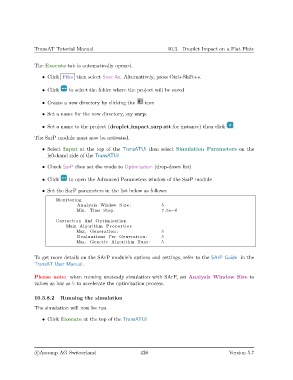
                   • Set the SarP parameters in the list below as follows:

                        Monitoring
                                 Analysis Window Size :             5
                                 Min . Time Step :                   7.5 e−6

                        Correction And Optimisation
                             Main Algorithm Properties
                                 Max. Generation :                  5
                                 Evaluations Per Generation :       5
                                 Max. Genetic Algorithm Runs :      5

               To get more details on the SArP module’s options and settings, refer to the SArP Guide in the
               TransAT User Manual.


               Please note: when running unsteady simulation with SArP, set Analysis Window Size to
               values as low as 5 to accelerate the optimisation process.


               10.3.8.2   Running the simulation

               The simulation will now be run.

                   • Click Execute at the top of the TransATUI


                c
Ascomp AG Switzerland                    426                                  Version 5.7

