


Page 434 - TransAT_Tutorial_Manual
P. 434
TransAT Tutorial Manual                                 10.3. Droplet Impact on a Flat Plate


               The simulation must now be re-loaded to take into account the initial conditions settings set in
               initialconditions.xml.

                   • Click Files in the top left corner then select Open Project

                   • Select the project file of the simulation e.g. droplet impact.stt.

               The template for the simulations is now ready.

               Output Management
                  In this tab the parameters of the simulation outputs are set. For this example, only the
               visualization output will be defined.
                   • Click Output Management on the left-hand side of the TransATUI

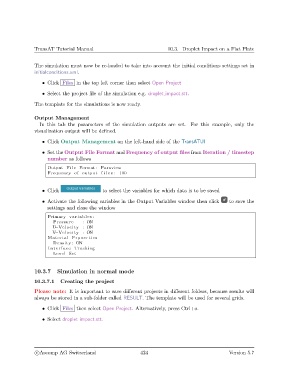
                   • Set the Output File Format and Frequency of output files from Iteration / timestep
                     number as follows
                     Output F i l e Format : Paraview
                     Frequency of output f i l e s : 100


                   • Click                  to select the variables for which data is to be saved

                   • Activate the following variables in the Output Variables window then click  to save the
                     settings and close the window
                     Primary v a r i a b l e s :
                       Pressure     : ON
                       U−Velocity : ON
                       V−Velocity : ON
                     Material Prpoerties
                       Density : ON
                     I n t e r f a c e Tracking
                       Level Set


               10.3.7    Simulation in normal mode

               10.3.7.1   Creating the project
               Please note: It is important to save different projects in different folders, because results will
               always be stored in a sub-folder called RESULT. The template will be used for several grids.

                   • Click Files then select Open Project. Alternatively, press Ctrl+o.

                   • Select droplet impact.stt.


                c
Ascomp AG Switzerland                    424                                  Version 5.7

